Speed Tracker: Check Your GPS Speed Online Free
Use a free online speed tracker to see your GPS speed in km/h or mph. Learn how it works, how accurate it is and how it differs from speed cameras.
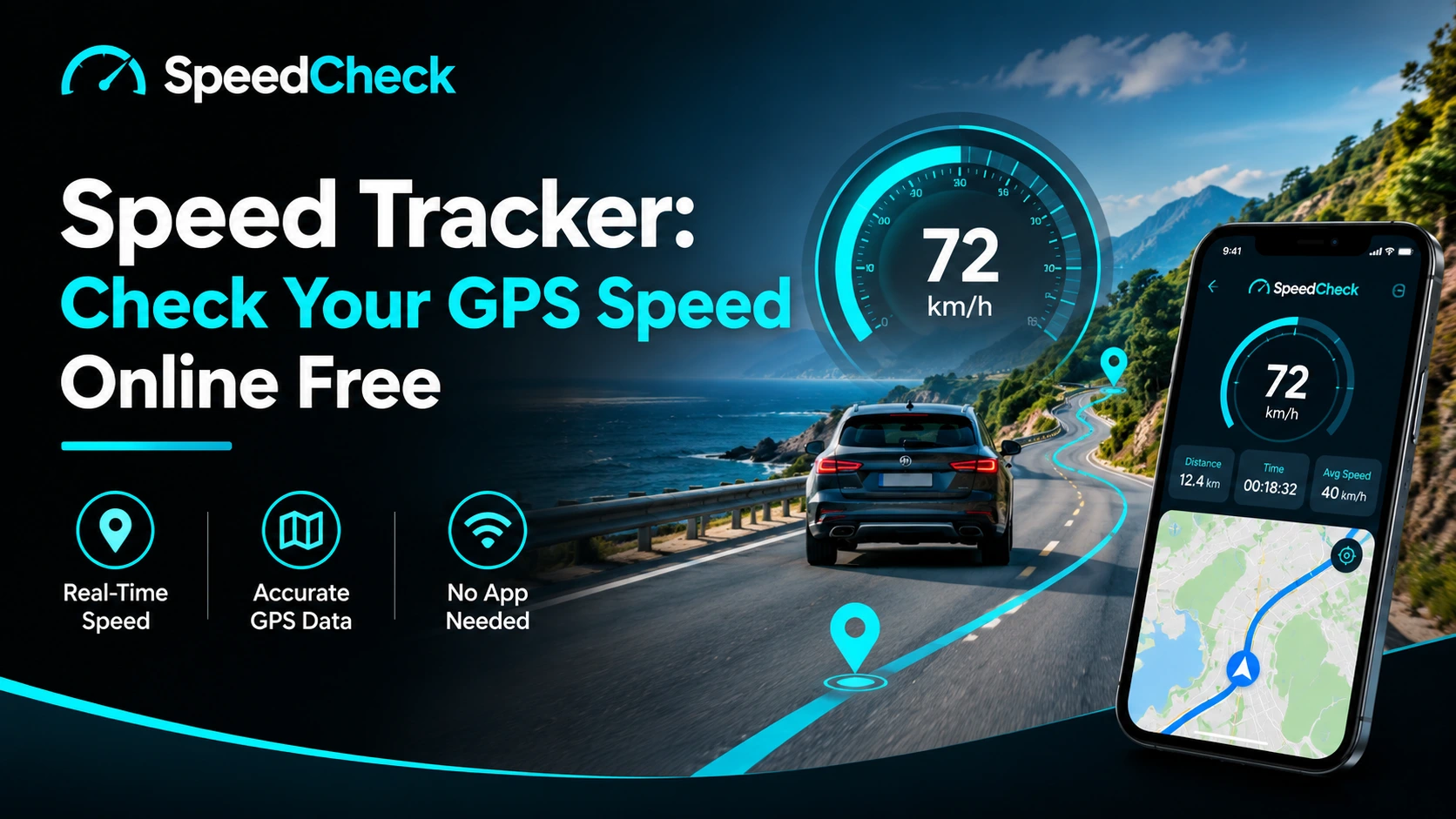
A speed tracker uses your phone's GPS to show how fast you are moving right now, in km/h or mph, with no extra hardware. You can check your speed in seconds with the free speed tracker on the SpeedoMeasure homepage: open the page, allow location access, and read the number. This guide explains how it works, how far to trust it, and how it differs from speed cameras and speed traps.
What Is a Speed Tracker?
A speed tracker is a tool that measures how quickly you are travelling and displays it as a live number. The version people use most often runs in a web browser or phone app and relies on the location sensors already inside the phone. There is nothing to buy, plug in or install when the tool runs in the browser.
A quick definition
When you open a browser-based speed tracker, the page asks for permission to use your location. Once you agree, the phone reports its movement and the page turns that data into a speed reading. The reading updates as you move, so it works for a car, a bike, a run, a train or a boat.
The key phrase is "your location". The tracker can only see what your device can see. If the phone cannot get a clean satellite signal, the reading will be less reliable, and a good speed tracker should say so instead of pretending otherwise.
Speed tracker vs vehicle GPS tracker
The word "tracker" causes confusion, so it helps to separate two different products.
A speed tracker shows your own speed on your own screen, in real time. SpeedoMeasure is this kind of tool.
A vehicle GPS tracker is a hardware device fitted to a car or van so someone else can see where it is. People use these for theft recovery, fleet monitoring and remote location.
If you want to find a stolen vehicle or watch a delivery fleet from an office, a browser-based speed tracker is the wrong tool. If you want to know how fast you are going at this moment, it is the right one.
Who uses a speed tracker?
Most people fall into one of three groups:
Drivers and passengers who want to compare GPS speed with the dashboard, or use a phone as a second display.
Cyclists and runners who want a live reading without buying a cycling computer or downloading another app.
Curious travellers, such as someone on a train, a boat or the back seat of a car who simply wants to know how fast they are going.
Each group has a slightly different need, and the sections below cover them in turn. The core tool is the same: the online speed tracker on our homepage.
How to Use the SpeedoMeasure Speed Tracker in Three Steps
The whole process takes under a minute. No sign-up is needed to read your speed.
Step 1: Open the homepage
Go to speedomeasure.com on your phone. Any modern mobile browser should work, but test it on your own device before relying on it. Keep the screen awake while you use it, because most phones pause location updates when the screen locks.
Step 2: Allow location access
When the browser asks to use your location, choose to allow it. Without this permission, no browser-based speed tracker can work, because the page has no other way to know how you are moving.
If you tapped "Block" by accident, you can usually fix it in the browser's site settings. On an iPhone, check Safari's website settings and your phone's Location Services for the browser. On Android, open the site settings in Chrome and change Location from Blocked to Allowed. Then reload the page.
Step 3: Read your speed and switch units
Once the page has a location fix, your current speed appears. Choose km/h or mph depending on where you are or which unit your dashboard uses. If you need other units such as metres per second or knots, the conversion table later in this guide covers them.
What to do if the reading stays at zero
A zero that never changes usually has one of four causes:
Location permission is blocked for the browser or the site.
Phone location services are switched off.
The signal is weak, for example indoors, in a tunnel or in a car park.
You are genuinely standing still.
Move to an open area with a clear view of the sky, reload the page, and wait a few seconds for the signal to settle.
How Does a Speed Tracker Work?
A speed tracker works by receiving signals from GPS satellites and working out how quickly your phone is moving relative to the ground. You do not need to understand the physics to use one, but a short explanation helps you judge when to trust it.
From satellite signal to speed
GPS satellites constantly broadcast timing signals. Your phone's receiver listens to several at once, calculates its position, and tracks how that position changes. Receivers can also get speed from the Doppler shift, which is a small change in signal frequency caused by movement. This is the same physical effect that makes a passing ambulance siren change pitch.
The practical result is that your phone can report speed over the ground rather than just guessing from wheel rotation. That is why GPS speed does not depend on tyre size, which is one of the reasons a dashboard can be off.
What your phone adds
A phone does more than listen to GPS. It can combine satellite data with other location sources, and some newer phones have dual-frequency receivers that handle reflected signals better. As Jalopnik's comparison of GPS and car speedometers points out, multi-band receivers in high-end phones and watches are one reason accuracy has improved in recent years.
This means two phones can give slightly different readings in the same car. The tracker is only as good as the sensor it reads from.
Why the number can lag or jump
GPS speed is smooth when you travel at a steady pace and less reliable when you change speed fast. A study of low-cost GPS receivers measuring ground speed found that the GPS reading trailed a reference sensor during acceleration and braking, by roughly two to five seconds depending on the receiver. The same study found the readings were dependable at a constant speed.
So if you brake hard and the number takes a moment to drop, the tracker is not broken. It is showing a slightly delayed picture of what just happened.
How Accurate Is a GPS Speed Tracker?
GPS speed is usually close to true speed in good conditions, but the exact accuracy depends on your phone, your surroundings and how you are moving. Nobody can promise one fixed figure, and a trustworthy tool should not claim to.
What GPS.gov says affects accuracy
The official U.S. government site GPS.gov explains that speed accuracy depends on many factors, including satellite geometry, signal blockage, atmospheric conditions and the quality of the receiver. It also stresses that the government's accuracy commitments apply to the signal broadcast from space, not to individual devices.
That last point matters. You may see impressive figures quoted for GPS signal accuracy online, but what your phone delivers also depends on the phone itself and where you are standing.
Why GPS often reads lower than a dashboard
Many drivers notice that their GPS reading is a little lower than the dashboard. According to Jalopnik's analysis of speedometer accuracy, most car speedometers tend to read higher than the true speed, and GPS-based speed is generally closer to reality. Manufacturers often build in this margin so the displayed figure never understates how fast you are going.
If your tracker shows 97 km/h while the dashboard shows 100, that is a common pattern rather than a fault. Large gaps, or a gap that changes a lot, are worth investigating.
When to trust the reading
Use this table as a quick guide.
Situation | Reliability | Why |
|---|---|---|
Open road, clear sky, steady speed | Good | Strong signal and no rapid speed changes |
City streets with tall buildings | Moderate | Signals reflect off buildings |
Under trees or heavy cloud | Moderate | Signal can be partly blocked |
Tunnel, underground, car park | Poor or none | Satellite signal is blocked |
Walking or very slow movement | Unreliable | Small position errors dominate |
Hard braking or acceleration | Short delay | Reading lags real speed |
Position accuracy vs speed accuracy
These are not the same thing. Position accuracy is about where you are on a map. Speed accuracy is about how fast you are moving. A phone can place you a few metres off and still report speed reasonably well, because speed depends on how the signal changes, not only on the exact point you occupy.
Why you may see a speed while standing still
When you are stationary, tiny random errors in the position estimate can look like movement. Some trackers show 1 to 3 km/h even when you are not moving. A good tool filters out very low readings, but you may still see small values at a standstill.
Speed Tracker vs Speed Camera vs Speed Trap
A speed tracker, a speed camera and a speed trap are three different things, and people often mix them up. A speed tracker measures your own speed. A speed camera is roadside enforcement equipment. A speed trap is a place or method used to catch drivers going over the limit.
What is a speed trap?
A speed trap is a location or enforcement method where authorities measure vehicle speed to catch people exceeding the limit. It might be a patrol officer with a handheld radar gun, a marked or unmarked vehicle, or an automated camera on a stretch of road. The term describes the situation, not one particular gadget. When people ask what speed traps look like, the honest answer is that they vary: a fixed camera box, a van parked at the roadside, or a person holding a device.
What tracks speed on the road?
Enforcement equipment generally uses radar or lidar. Radar cameras work through the Doppler effect: radar-based speed cameras measure the shift in a reflected signal, which changes in proportion to a vehicle's speed. Lidar uses laser pulses and takes repeated measurements to work out how fast a target is moving.
There are also several camera types. Fixed cameras watch a single point. Mobile cameras are operated from a van or car. Average-speed cameras measure the time it takes a vehicle to travel between two points, which makes briefly slowing down for a single camera pointless.
Do speed cameras take pictures and give tickets?
It depends on the equipment. According to Howden's guide to mobile speed cameras, radar-based camera vans try to photograph speeding drivers as evidence, while handheld radar and laser guns do not take pictures. Automated systems usually send a notice to the registered keeper of the vehicle, while an officer with a handheld device may stop you in person.
Rules differ a lot by country. In the UK, for example, the same guide says many cameras apply a tolerance of 10% of the limit plus 2 mph before enforcement. Check the rules in your own country, because tolerances, fines and processes are not the same everywhere.
Does a speed tracker take pictures or give tickets?
No. A personal speed tracker like SpeedoMeasure is a speedometer you look at. It does not photograph vehicles, report you to anyone or issue fines.
Can a speed tracker detect speed traps?
No, and it is not designed to. It shows how fast you are travelling. It does not know where cameras or patrols are, and it does not detect radar or laser. Think of it as a second opinion on your own speed, not an enforcement alert.
One important safety point: do not look at or handle a phone while driving. If you are driving, ask a passenger to read the tracker, or mount the phone securely before you set off.
Using a Speed Tracker for Driving, Cycling and Running
The same tool works across many activities, but each has its own quirks. Here is what to keep in mind for the most common cases.
Activity | Typical speed range | What to watch for |
|---|---|---|
Walking | 4 to 6 km/h | Low speeds are less reliable |
Running | 8 to 20 km/h | Short bursts can lag |
Cycling | 15 to 40 km/h | Hills and stops change speed quickly |
City driving | 30 to 60 km/h | Buildings can weaken signal |
Highway driving | 80 to 120 km/h | Steady speeds give the best readings |
Train | Varies widely | Tunnels and cuttings block signal |
Driving: comparing GPS with your dashboard
Many drivers use a speed tracker to compare the dashboard with GPS. Drive at a steady speed on an open road, ask a passenger to read both numbers, and compare. A small gap with the dashboard reading higher is normal. If you want a longer walkthrough, see our car speed test guide.
Use km/h or mph to match the units on your car and your local road signs, so the numbers are easy to compare.
Cycling: and how fast track bikes really go
Cyclists often use a phone instead of a bike computer. A bike speed tracker works well on open roads and paths, though hills and frequent stops make the number move around. Searchers also ask how fast track bikes go. Track cycling is a very different world from everyday riding. According to a track cycling overview from Samsara Cycle, women's team pursuit riders reach up to about 60 km/h, compared with about 40 km/h for a professional road rider on flat ground.
Sprint events go faster still: BikeTips' roundup of fast cyclists notes that Olympic track sprinters can peak at around 80 km/h over a flying 200 metres. Most everyday riders will be nowhere near those numbers, and that is a good thing.
Running and walking
Runners tend to think in pace rather than speed. To convert, divide 60 by your speed in km/h to get minutes per kilometre. For example, 10 km/h is a 6:00 per km pace, and 12 km/h is 5:00 per km. Our running speed calculator does this for you.
At walking speeds, GPS readings can wobble, so average over a longer stretch instead of reacting to each number.
Trains, boats and general curiosity
If you are a passenger on a train or boat and just want to know how fast you are going, a browser-based tracker is the easiest option. Sit near a window for a better signal. Remember that on a boat, GPS shows speed over the ground, which can differ from speed through the water if there is a current.
Speed Tracker Units: km/h, mph and Conversions
The two units you will use most are km/h and mph, but some situations need metres per second or knots. Here are the formulas and a quick reference table.
mph = km/h × 0.6214
m/s = km/h ÷ 3.6
knots = km/h × 0.5400
km/h | mph | m/s | Knots |
|---|---|---|---|
20 | 12.4 | 5.6 | 10.8 |
40 | 24.9 | 11.1 | 21.6 |
60 | 37.3 | 16.7 | 32.4 |
80 | 49.7 | 22.2 | 43.2 |
100 | 62.1 | 27.8 | 54.0 |
120 | 74.6 | 33.3 | 64.8 |
If you would rather not do the maths, use our speed converter [ADD INTERNAL LINK] to switch between units instantly.
Online Speed Tracker vs Speed Tracker App
An online speed tracker and a downloadable app both read your phone's GPS, but they make different trade-offs. Neither is better for everyone.
Feature | Online (browser) | Dedicated app |
|---|---|---|
Installation | None | Required |
Setup time | Seconds | Minutes |
Works with screen locked | Usually limited | Often yes |
Trip history | Depends on the tool | Often built in |
Offline use | Limited | Sometimes |
Storage used | None | Some |
Choose a browser tool when you want a quick reading, are using a borrowed phone, or do not want another app. Choose an app when you need long recorded trips, background tracking or advanced stats. SpeedoMeasure is built for the first case: a fast, simple reading with a clear explanation of what it means. It is not a replacement for every dedicated app, and it should not pretend to be.
Privacy: What Happens to Your Location Data?
A speed tracker needs your location to work, so it is fair to ask what happens to that data. A responsible tool should tell you plainly what it accesses, whether it stores anything and for how long. You can read the full details in our privacy policy. You can also withdraw location permission at any time in your browser or phone settings.
Looking for Speed Post or Parcel Tracking?
If you arrived here searching for "track speed post", "speed post status" or "track speed post parcel", you are looking for parcel tracking, which is a different thing from speed tracking. Speed Post is a postal service, and it is tracked with the number on your receipt, not with GPS on your phone.
According to Ship24's guide to India Post article tracking, you can look up a Speed Post item using its tracking code on the official India Post website, by SMS, or in the Postinfo app. For the most accurate status, use the official India Post website and keep your receipt handy. A speed tracker cannot show where a parcel is.
Start Tracking Your Speed
A speed tracker gives you a fast, free answer to a simple question: how fast am I going? Used in good conditions, it is a useful second opinion next to your dashboard, bike computer or running watch. Used carelessly, it can mislead, which is why it helps to know about lag, signal quality and the limits of GPS.
Ready to check yours? Open the SpeedoMeasure homepage, allow location access and start tracking. If you need to switch units, try the speed converter [ADD INTERNAL LINK], or explore the guides for driving, cycling and running.
Try it yourself
GPS Speedometer — free, no install, works in your browser.
Frequently asked questions
What is a speed tracker?
A speed tracker is a tool that uses your device's GPS to show how fast you are moving in real time, usually in km/h or mph. A browser-based one needs no installation. You open the page, allow location access and read the number.
How does a speed tracker work?
It receives satellite signals through your phone, then calculates your movement over the ground. The result is shown as a live speed. Accuracy depends on signal strength, your surroundings and your phone's hardware.
What speed meter does my phone use?
Your phone does not have a physical speed meter. It uses its GPS receiver and software to calculate speed. A web-based tool such as SpeedoMeasure reads that data once you give permission.
How do I track speed?
Open a speed tracker on your phone, allow location access, and keep the screen on. Stay in an open area at first so the signal settles, then start moving. Read the speed in your preferred unit.
What tracks speed on the road?
Enforcement usually relies on radar, lidar or average-speed camera systems. Radar uses the Doppler effect, lidar uses laser pulses, and average-speed systems compare timestamps between two points.
What does speed trap mean, and what do speed traps look like?
A speed trap is a place or method where authorities measure speed to catch drivers over the limit. It might be a fixed camera, a camera van or an officer with a handheld device. They do not all look alike.
Do speed trackers take pictures, have cameras or give tickets?
A personal speed tracker does not take pictures, use cameras or give tickets. It only shows your speed. Roadside speed cameras are separate enforcement equipment, and whether they photograph you depends on the type and the country.
How fast are track bikes, and how fast do trackers go?
Elite track cyclists reach roughly 60 km/h in team events and higher peaks in sprints, as the track cycling sources above explain. A speed tracker has no top speed of its own. It displays whatever your device measures.
How do I track Speed Post status or a parcel?
Use the tracking code from your receipt on the official postal service website. A GPS speed tracker cannot track parcels.