Car Speed Test: Check Your Real Speed Online
Run a free car speed test in your browser. Learn how GPS measures speed, why it differs from your dashboard, and check your live speed with Speedomeasure.
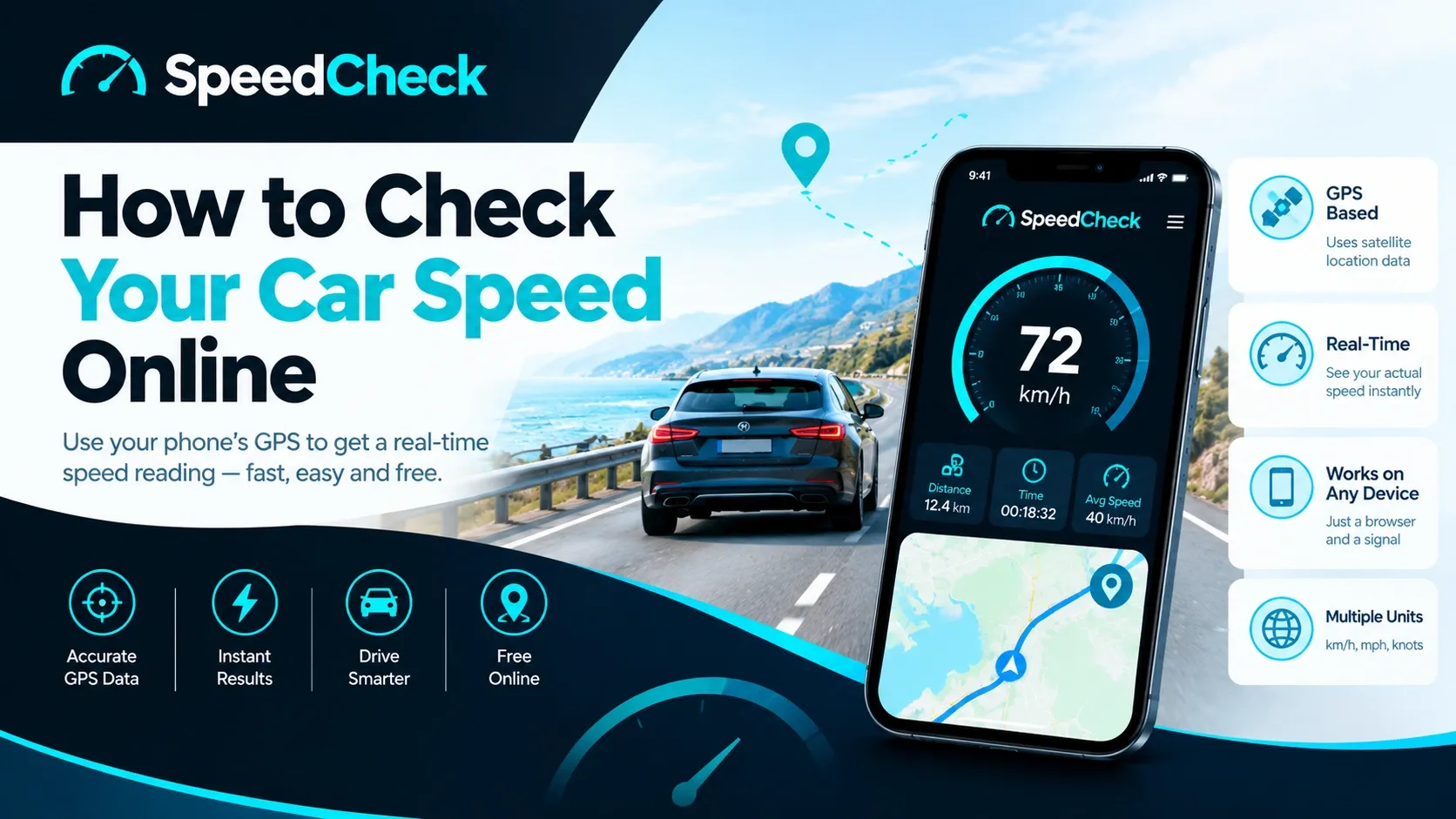
Try it yourself
GPS Speedometer — free, no install, works in your browser.
You can run a car speed test in under a minute: open an online GPS speed tracker on your phone, allow location access and read your live speed on screen. GPS works out how fast your device is moving over the ground, while your dashboard counts wheel rotations, so the two numbers rarely match exactly. Speedomeasure gives you that second reading directly in your browser.
Maybe the dashboard feels optimistic. Maybe you just changed your tyres, or you are riding a bike with no speedometer at all. Whatever the reason, a second speed reading is useful, and your phone already has the hardware to provide one. This guide covers how to run a car speed test, how GPS and your speedometer each calculate speed, why they disagree, and how to read the result sensibly.
What Is a Car Speed Test?
A car speed test is a quick check of how fast you are really travelling, using a source other than your dashboard. In practice that usually means a GPS-based speed tracker running on your phone. It reads satellite-based location data, works out how your position changes over time and shows the result as a live speed.
What a car speed test measures
It measures ground speed: how quickly you cover distance over the earth’s surface. Your dashboard measures something slightly different. It counts how fast your wheels turn and converts that into a speed using the tyre size the manufacturer programmed in. Both are estimates of the same thing, built from different inputs, which is exactly why comparing them is worth doing.
Who uses a second speed reading
Drivers are the obvious group. They want to know whether the dashboard reads high after a tyre change, or they are simply curious. Cyclists and runners use the same idea because they have no built-in meter. Travellers use it to see how fast a train or coach is really moving, and boat users need the figure in knots. Because the check runs in a browser, it works for any of them with a phone and a signal.
What a car speed test is not
It is not a certified calibration. It will not settle a dispute over a speeding ticket, and it is not a replacement for your car’s speedometer while you are driving. It is also unrelated to fleet management software or GPS tracking hardware, which are separate products built to monitor vehicles remotely. A car speed test is a single reading you take for yourself. If you are behind the wheel, let a passenger read the screen, or only look when it is safe and legal to do so.
How Do I Check My Car Speed Online? Step by Step
Checking your speed takes four steps and a phone. Each step below has a screenshot placeholder; replace them with real captures from the tool.
Step 1: Open the online speed tracker
On your phone, open your browser and go to the Speedomeasure homepage. The speed tracker is where you start, so there is no menu to dig through. Use the secure (HTTPS) version of the page. Browsers only expose location features on secure pages, as MDN’s documentation on the Geolocation speed property points out.
Step 2: Allow location access
Your browser will ask for permission to use your location. Tap allow. A GPS speed reading comes from your device’s location data, so if you refuse permission there is nothing for the tool to measure. If you tapped deny by accident, you can change it in your browser’s site settings.
Step 3: Read your live speed
Give it a few seconds to settle. Signal is best with the phone in clear view of the sky, so a dashboard mount or a spot near the windscreen works better than a bag on the back seat. Your speed updates as you move. When you are standing still, a reading close to zero is normal, and small wobbles at a standstill are expected.
Step 4: Switch units
Choose the unit that suits you: km/h in most countries, mph in the UK and US, knots on the water. Use the unit control in the tool to switch between the units it supports.
What if no speed shows?
Three causes cover most cases. Location permission may be blocked, the signal may be too weak (indoors, underground, deep inside a building), or the page may not be loading securely. The browser specification also allows the speed value to come back empty when a device cannot measure it, as MDN explains. Check your permission settings, move into open air and reload the page.
How Does a Car Know How Fast It’s Going?
Your car does not measure speed directly. It infers it from how fast the wheels turn. That is the answer to most of the questions drivers type into search: how does a car know its speed, how do cars measure their speed, how does a car speedometer work.
Wheel speed sensors and the dashboard
A sensor at the wheel or axle counts rotations. The car’s computer multiplies that rotation rate by the circumference of the tyre to get distance per second, then displays it as speed. As Racelogic’s support article on speedometer readings puts it, the reading on your dashboard is usually calculated from a wheel or axle sensor. Because wheels turn several times every second at ordinary road speeds, a difference in tyre diameter of just a few millimetres can shift the displayed figure by a few miles per hour.
Why tyre wear and pressure change the reading
As tread wears down, the tyre gets slightly smaller, so it turns more often to cover the same distance. The computer still assumes the original size, so the dashboard overstates your speed. Low pressure has a similar effect. Fitting wheels of a different size without recalibrating the speedometer can shift the reading further. GPS does not care about any of this, because it never looks at your tyres. That point is made clearly in Sidecar’s explanation of why speedometers read high, which notes that worn tyres push the dashboard figure above true ground speed.
Why speedometers tend to read slightly high
Car makers have strong reasons to avoid a speedometer that shows less than your real speed, so they calibrate toward the high side. The same Sidecar article describes manufacturers setting new cars near the upper edge of the legal tolerance, leaving margin for tyre wear later. Exact tolerances differ by country and standard, so check the rules where you live before quoting a figure to anyone.
How a car speedometer compares with a bike or boat display
Cars rely on wheel sensors. Bike computers usually use a wheel sensor or GPS, and boats have no wheels to count, so they depend on GPS or a water-speed sensor. That is one reason a browser-based tool is handy across activities. If you want to see how the idea carries over, Speedomeasure has pages for a car speedometer, a bike speed tracker and a boat speedometer.
How Does GPS Measure Speed?
GPS speed is calculated, not read from a sensor. There are two main ideas behind it, and a browser tool simply passes along whatever the phone’s location system reports.
Position change over time
A GPS receiver listens to signals from several satellites and uses how long each signal took to arrive to work out its distance from each one. With enough satellites it can fix your position. Do that repeatedly and you have a series of positions with timestamps. The distance between two positions divided by the time between them gives speed. The shorter and cleaner the position data, the better the estimate.
Doppler shift
Many receivers can also work out speed from the Doppler effect: the frequency of a satellite signal shifts slightly depending on how you are moving relative to the satellite, in the same way a siren changes pitch as an ambulance passes. Speed derived this way tends to be smoother than speed derived purely from jumping position points. Which method your phone uses depends on its hardware and software, so we do not claim one approach for every device.
What a browser actually receives
When you open an online speed tracker, the browser asks your phone for location data. The Geolocation interface can report speed in metres per second, or nothing at all if the device cannot measure it, according to MDN. A tool then converts that number. Multiply metres per second by 3.6 and you have km/h. The tool is displaying what your phone’s location system reports, so the quality of the reading depends on the phone and the conditions as much as on the website.
How accurate is GPS speed?
It depends, and the official guidance says so plainly. In GPS.gov’s accuracy guidance, the US government commits to a very small speed error in the satellite signal itself, no more than 0.006 metres per second over any three-second interval with 95 percent probability. That commitment covers the signal in space, not your phone. What you actually see also depends on satellite geometry, signal blockage, atmospheric conditions and receiver quality.
For position, the archived GPS.gov page notes that smartphones are typically accurate to within about five metres under open sky, and that accuracy gets worse near buildings, bridges and trees. The practical reading: on an open road at a steady speed, a GPS speed check is a sensible reference. In a dense city or a tunnel, treat it as rough. Want to see the number for yourself? Try a GPS speed test or open the online speedometer from the Speedomeasure homepage.
GPS Speed vs Car Speedometer: Which Reading Should You Trust?
Neither reading is a lie. They are built from different measurements, and each has predictable weak points.
Why the two numbers differ
Factor | GPS speed | Dashboard speedometer |
|---|---|---|
What it uses | Satellite-based location data | Wheel or axle rotation |
Affected by tyre wear and size | No | Yes |
Affected by tunnels and tall buildings | Yes | No |
Typical behaviour | Closer to true ground speed in open sky | Often reads slightly high |
Works without a signal | No | Yes |
The dashboard counts wheel turns and assumes a tyre size. GPS looks at how you move over the ground. When the tyres are worn, the dashboard drifts upward. When the sky is blocked, GPS drifts or drops out. Each fails in a different place, which is why using both is more informative than trusting either alone.
What to expect when you compare them
Here is an illustrative example, not a test result. Suppose your dashboard shows 100 km/h at a steady cruise and a GPS tracker shows 96 km/h. The dashboard is reading about 4 percent higher than GPS. That would be a perfectly ordinary kind of gap. Run your own comparison like this:
Pick a straight, open road with light traffic where you can hold a steady speed legally and safely.
Have a passenger read the GPS screen while you hold the dashboard speed steady.
Take several readings at different speeds and write down the conditions: weather, tyre pressure, load and phone position.
Repeat on another day before drawing any conclusion.
One test is one test. It tells you about your car on that day, not every car on every road.
When GPS is useful and when the dashboard is better
GPS is useful when you want to check your dashboard after fitting new tyres, when you have no speedometer (bikes, running, boats), or when you simply want an independent reference. The dashboard is the better tool while you are actually driving. It responds instantly, works in tunnels and is the reading you are expected to follow on the road. Sidecar’s author makes the same call, advising drivers to rely on the car’s own speedometer while driving and to use GPS or OBD data for after-the-fact comparison.
Why Your GPS Speed Reading Can Fluctuate
If your reading jumps around, it is usually the surroundings, not the tool.
Buildings, tunnels, trees and bridges
GPS.gov lists signal blockage from buildings, bridges and trees, indoor or underground use, and reflected signals known as multipath among the common causes of degraded accuracy. A reflected signal arrives slightly late, so the receiver misjudges distance. Between tall buildings or under dense tree cover, that happens constantly.
Satellite geometry and atmosphere
Satellites clustered together give a less reliable fix than satellites spread across the sky. The atmosphere also slows signals slightly, and receivers correct for it with varying success. These effects are small on a clear day, but they explain why two phones side by side can show slightly different numbers.
Tips for a cleaner reading
Keep the phone where it has a clear view of the sky, such as a dashboard mount near the windscreen.
Wait a few seconds after opening the tool before trusting the number.
Test at a steady speed, not during braking or acceleration.
Avoid tunnels, car parks and dense urban streets for comparison tests.
Close battery-saver modes that limit location updates, if your phone has them.
Car Speed Test for Every Kind of Mover
A car speed test is one use of a general idea: measure how fast your phone is moving. The same reading works across activities.
Drivers: a second speed reading
If you want to see how far your dashboard is from true ground speed, start with a car speedometer style check on an open road. Do it with a passenger, not alone.
Cyclists: live riding speed
Most casual cyclists have no speedometer fitted. A bike speed tracker in the browser gives a live reading from your phone, mounted on the handlebars or carried in a pocket.
Runners: movement speed and pace
Runners think in minutes per kilometre or mile rather than speed, but the data underneath is the same. A running speed tracker is handy for a quick check of your pace on a steady stretch.
Travellers: current travel speed in the browser
On a train, coach or ferry you have no speed display. A browser-based tool lets you see how fast you are moving right now, as long as you have a signal. Window seats help.
Boat users: speed in knots
Boats measure speed in knots, one nautical mile per hour. If you need your speed in knots, switch the unit rather than converting by hand. A boat speedometer view is useful for small craft with no instruments.
Everyday users: a quick, free measurement
Sometimes you just want a number. Open the page, allow location access and read it. No account or setup should be needed, but check the tool yourself before relying on that.
km/h, mph and Knots: Converting Your Speed
Speed shows up in three common units, and the conversions are simple. Your phone’s location system reports metres per second, so a tool converts from there: multiply by 3.6 for km/h.
km/h | mph | Knots |
|---|---|---|
20 | 12.4 | 10.8 |
50 | 31.1 | 27.0 |
80 | 49.7 | 43.2 |
100 | 62.1 | 54.0 |
120 | 74.6 | 64.8 |
Useful rules of thumb: one mile per hour is 1.609 km/h, and one knot is 1.852 km/h or about 1.151 mph. So a steady 100 km/h is roughly 62 mph, or about 54 knots. If you need a quick conversion, the page to convert KMH to MPH does the maths for you, and the speed in knots page covers nautical use.
Frequently Asked Questions
How do I check my car speed?
Open an online GPS speed tracker on your phone, allow location access and read the live number while you hold a steady speed on an open road. Have a passenger read the screen if you are driving. The Speedomeasure homepage is the quickest place to start.
Where can I speed test my car?
You can do it almost anywhere with open sky: a quiet straight road, a motorway with light traffic or a long rural road. Use your phone’s browser, go to the Speedomeasure homepage and follow the four steps above. Always follow the speed limit and road rules during the test.
How far do I need to drive for a speed test?
Not far. A short stretch of open road is enough, as long as you can hold a steady speed for a few seconds and the phone has a clear view of the sky. Longer or repeated runs at different speeds give you a better picture of the difference between GPS and your dashboard.
How does a car know how fast it’s going?
It counts wheel rotations with a sensor and multiplies by the tyre’s circumference. That makes the dashboard figure sensitive to tyre size, wear and pressure. GPS skips the wheels entirely and works from satellite-based location data, which is why the two readings can differ.
How does a car speed meter work?
Modern cars use electronic wheel speed sensors feeding the car’s computer, which drives the speedometer display. Older cars used a mechanical cable from the transmission. Either way the speedometer works from rotation, not ground position. Makers tend to calibrate toward a slightly high reading so it never understates your speed.
Ready to Check Your Speed?
You do not need to complicate a simple measurement. Use Speedomeasure to check your live GPS speed and explore its available speed measurement tools.
Meta title: Car Speed Test: Check Your Real Speed Online with GPS
Meta description:
Try it yourself
GPS Speedometer — free, no install, works in your browser.
Frequently asked questions
How do I check my car speed?
Open an online GPS speed tracker on your phone, allow location access and read the live number while you hold a steady speed on an open road. Have a passenger read the screen if you are driving. The Speedomeasure homepage is the quickest place to start.
Where can I speed test my car?
You can do it almost anywhere with open sky: a quiet straight road, a motorway with light traffic or a long rural road. Use your phone’s browser, go to the Speedomeasure homepage and follow the four steps above. Always follow the speed limit and road rules during the test.
How far do I need to drive for a speed test?
Not far. A short stretch of open road is enough, as long as you can hold a steady speed for a few seconds and the phone has a clear view of the sky. Longer or repeated runs at different speeds give you a better picture of the difference between GPS and your dashboard.
How does a car know how fast it’s going?
It counts wheel rotations with a sensor and multiplies by the tyre’s circumference. That makes the dashboard figure sensitive to tyre size, wear and pressure. GPS skips the wheels entirely and works from satellite-based location data, which is why the two readings can differ.
How does a car speed meter work?
Modern cars use electronic wheel speed sensors feeding the car’s computer, which drives the speedometer display. Older cars used a mechanical cable from the transmission. Either way the speedometer works from rotation, not ground position. Makers tend to calibrate toward a slightly high reading so it never understates your speed.